A practical look at Umbraco Automate: how to spot the repetitive work in your content pipeline and build automations that handle it for you.
Earlier today I walked through the airport and “agentic” was on about every other advertisement. A year ago I wouldn’t have guessed the word would land in the common zeitgeist at all — but the pace of AI automation has outrun even the high expectations most of us already had.
The pace of change has also gotten ahead of most teams' abilities to adapt and put the new tools to use. In multiple conversations this year, the question I keep hearing is, "what would we even do with it?" That’s not a sign that AI isn't useful — rather, it's a sign that people's understanding of what these tools can do hasn't caught up with what they actually do.
Umbraco Automate is one of these leaps. Released this year at Codegarden in June, Automate brings a pluggable workflow model to the Umbraco Backoffice that allows for trigger-based orchestration using a visual workflow builder. That's a complicated-sounding description, but if you've used tools like IFTTT or Nodemation (n8n), this will feel immediately familiar. Tied with Umbraco AI, you can build complicated automations that change how you publish content — and, potentially, how you approach much of your daily work.
So how do you decide where to start?
Determining what to automate in the first place.
The first step to automating a process is knowing what the process is. And while that might sound reductive, you'll be surprised how much of your daily activity isn't really defined.
One exercise that I've found helpful is imagining you've just taken on a dozen summer interns. While a naive reaction might be, "Great, I have so much help now,” those of us who have worked with interns have a much more realistic reaction: "Agh! What am I going to give these people to keep them busy?!"
This is a great way to find tasks worth automating. If I look at my calendar, I might have a block at the start of the day and after lunch when I work on my email. But I can't simply tell an intern "process my inbox;" that doesn't give them enough information to do a good job. I need to sit down and figure out, "how do I process my inbox?" This might lead me to come up with something like:
"I need you to triage my inbox. Prioritize emails from people in my company, client contacts, and people whose names match my connections on LinkedIn. Flag anything with an RFP or an invoice attached. Any sales promotions should go in a separate folder. Let me know what needs a reply immediately, and what can wait until later."
That might give an intern a good place to start. Interestingly, it's also starting to read like a decent LLM agent prompt.
If you go through your day like that, you'll find that there are certain tasks that are the best use of your time. I'll use an LLM to help triage email, but personally I'd never use it to compose or reply to messages to people I know. Those folks are expecting to hear from me, not an LLM. I'll use an LLM to gather information on a potential client and help understand a budget, but I would never use it to make a final decision. But everything that's not the most important and best use of your time is probably "grunt work", and a candidate for your virtual interns.
For example, content production has a lot of grunt work involved. Let's look at the content production pipeline we use here at Blend:
- Our marketing team meets weekly. We talk through the campaigns we're running and what we're trying to achieve, and ideas for content arise from that — this article is in support of our talk on Automate at the Umbraco US Fest, for example.
- Article ideas go into a project organizer and get assigned to someone to write by a certain deadline.
- Once written, the article goes to an editor for review.
- It also goes to the design team to produce any supporting graphics.
- When those pieces are ready, it goes into the CMS.
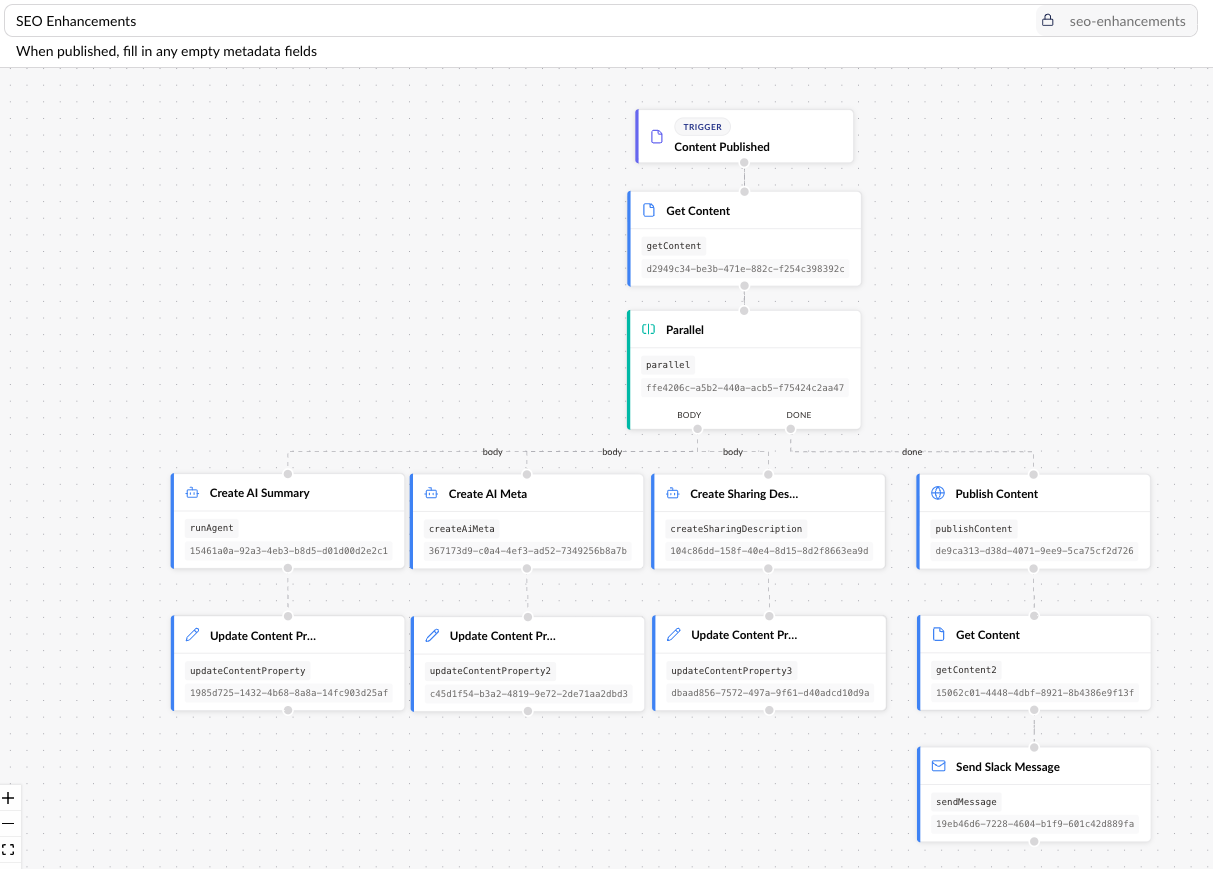
- At this point, it also gets reviewed for accessibility, SEO, and GEO. Extra metadata like summaries, schema tags, and etc get added in support of this.
- Finally, it's ready to publish. Now share messages are added to social platforms like Instagram and LinkedIn
When I look at that list, there are only a few things I wouldn't hand off to an intern: coming up with the ideas, writing the article, and for the most part, the editing. Everything else feels like we could use some help. Let's start automating!